When working from hubs and in extended access clinics, it is possible to send the prescriptions via EPS. This needs the prescription request to be sent back to the patient’s host practice for issuing.
There does need to be a degree of agreement across the practices using shared hubs to issue the prescriptions (via EPS) on behalf of the prescribing clinician. There is likely to be a question raised about responsibility etc, however those discussions are outside the scope of this page.
Prescribing At the Hub/In An Enterprise Consultation
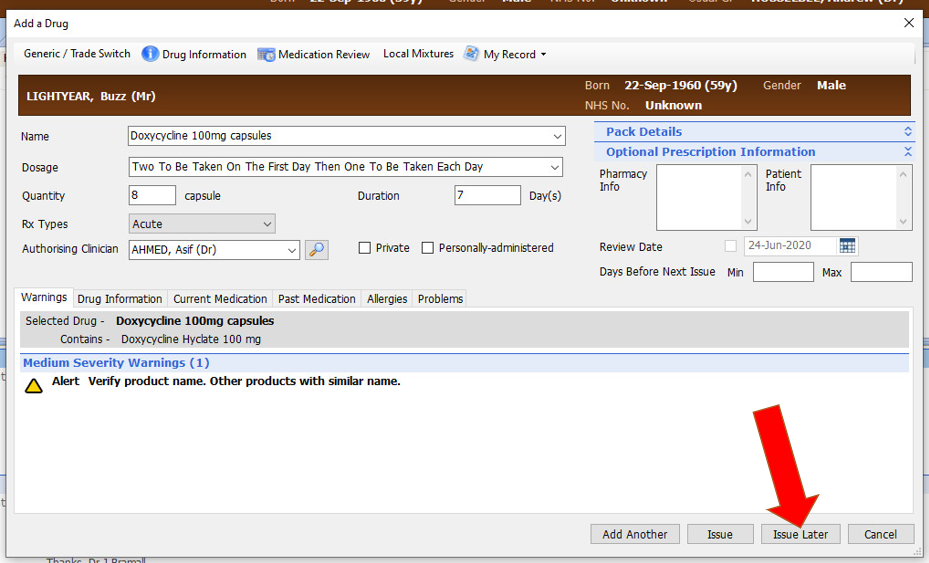
Firstly when you get to the screen to prescribe please click the issue later button:
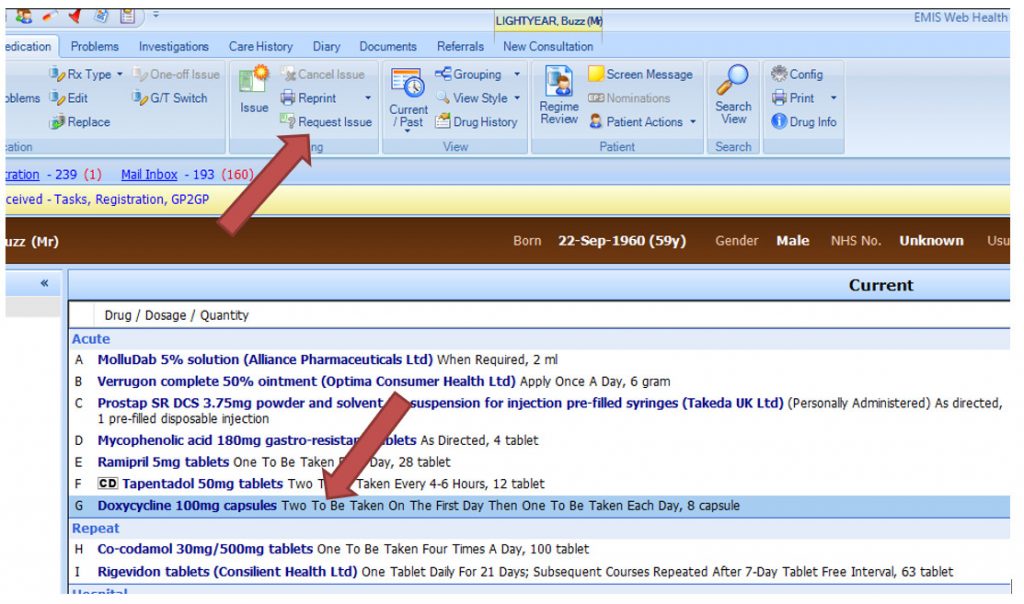
Then you go to the medication screen and select the medication that has just been prescribed. And select the ‘Request Issue’ at the ribbon at the top:
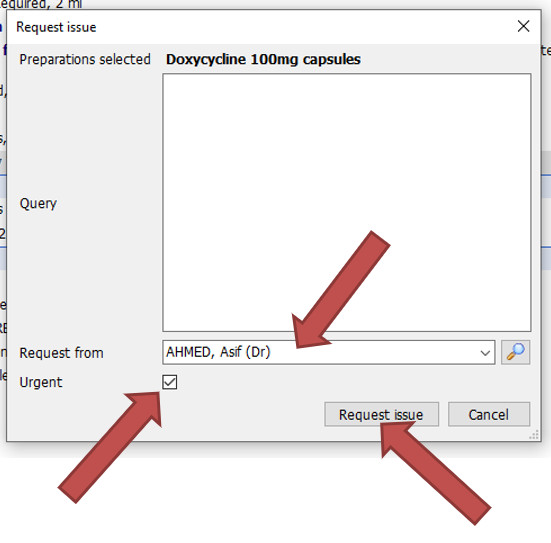
Then when the window opens, it may be prudent to select the Urgent tick box. Select the clinician in the ‘Request from’ box. This clinician may be an allocated one from the practice. There may need to be a process with the Hubs and Practices on how to ensure requests are monitored and actioned the patient’s practice. Again that is outside the scope of this page.
Issuing The Medication At the Practice
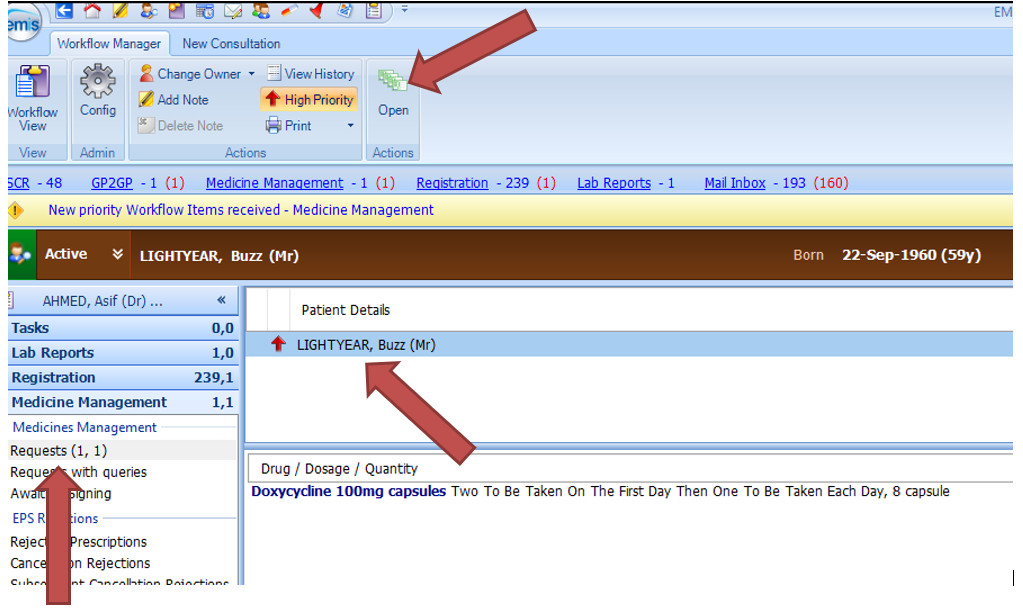
At the practice the medication is issued as normal. Under the medication workflow section, select Requests on left and the the patient for whom to issue the medication. Then issue from there as normal.
This of course requires the issuing clinician to have a smart card in place, have prescribing rights etc.