Another option that would make things easier is to create a file that you can save on your desktop and double click to connect – only needing your Password each time.
Download this file to your desktop then follow the instructions below.
Right click the file and click rename. You may wish to call it something like “Work PC connection” or whatever you want. Then right click it and select edit.
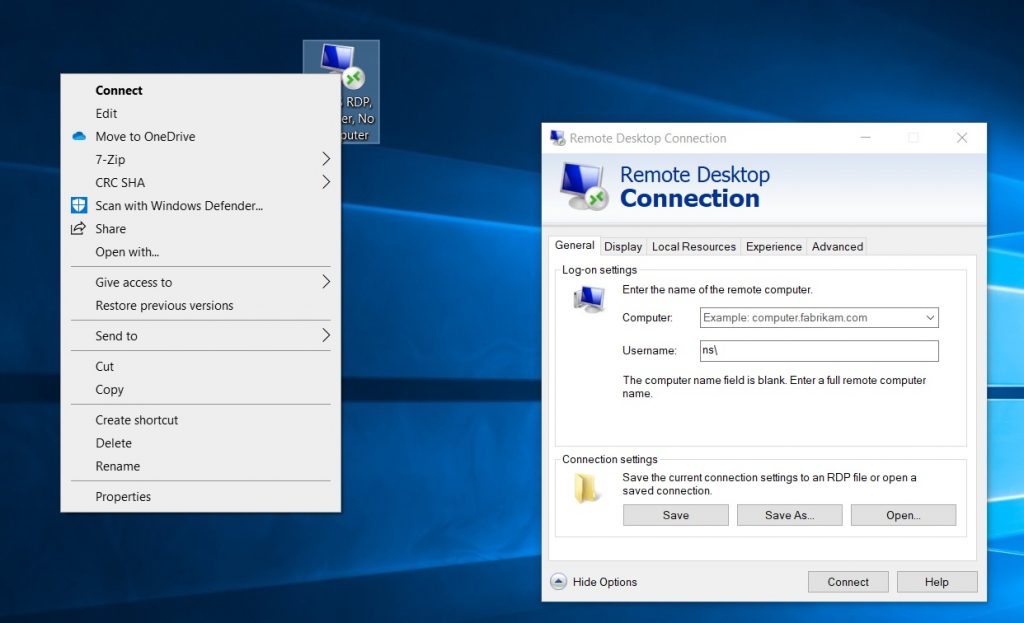
In the dialogue box that opens in the computer box add you work PC number. It will look like either HISXXXXXX or BXXXXXXX.
In the username box, add your COiN log in username after the ns\ already in the box.
Click Save. Then you can either close the dialogue box or click connect if you need to connect to your work PC.
In future you will be simply able to double click on the file on your desktop and connect to your work computer.