Digital Document Sending
AccuRx have enabled an ability to send documents such as Fit Note to patients to allow them to print themselves rather than attending the practice to collect.
Prerequisites
- You need a clinical system (eg. EMISWeb)
- You need a PDF printer – there is a “Microsoft Print to PDF” that should be installed by default. If not see instructions on how to install it here.
- Other ones are available.
- There are some reports that suggest that EMIS Crashes with the Microsoft one. My favourite is Bullzip Pdf.
- You will need Adobe Acrobat DC installed.
1. Create the Fit Note in PDF format
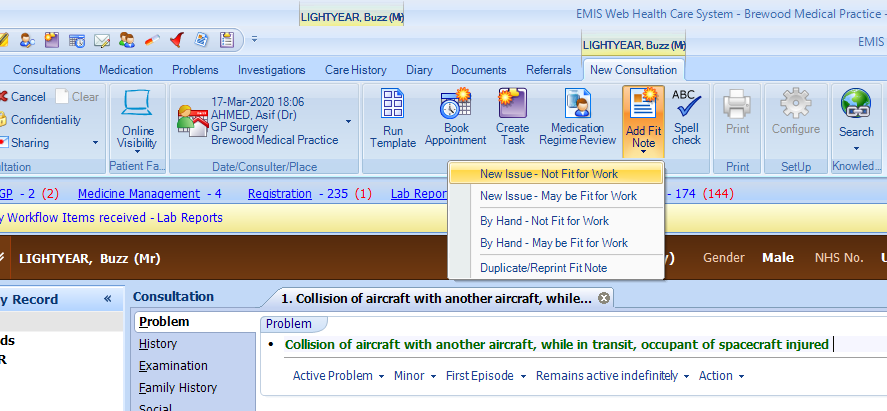
This the usual way you do it – In a consultation click on the ‘Add Fit Note’ and select the appropriate option.
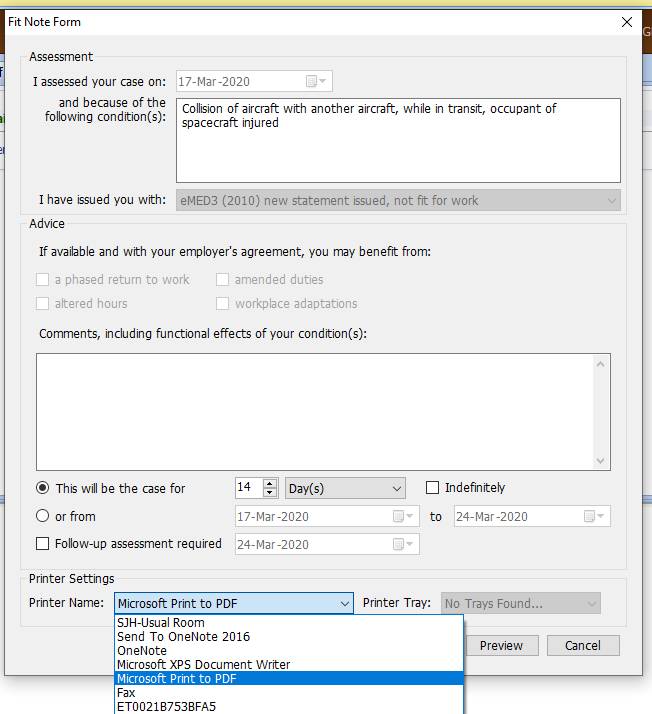
Change the printer option at the bottom to Microsoft Print to PDF (or PDF Printer of your choice).

When you print you will get an error saying no tray found. Print anyway – say Yes.
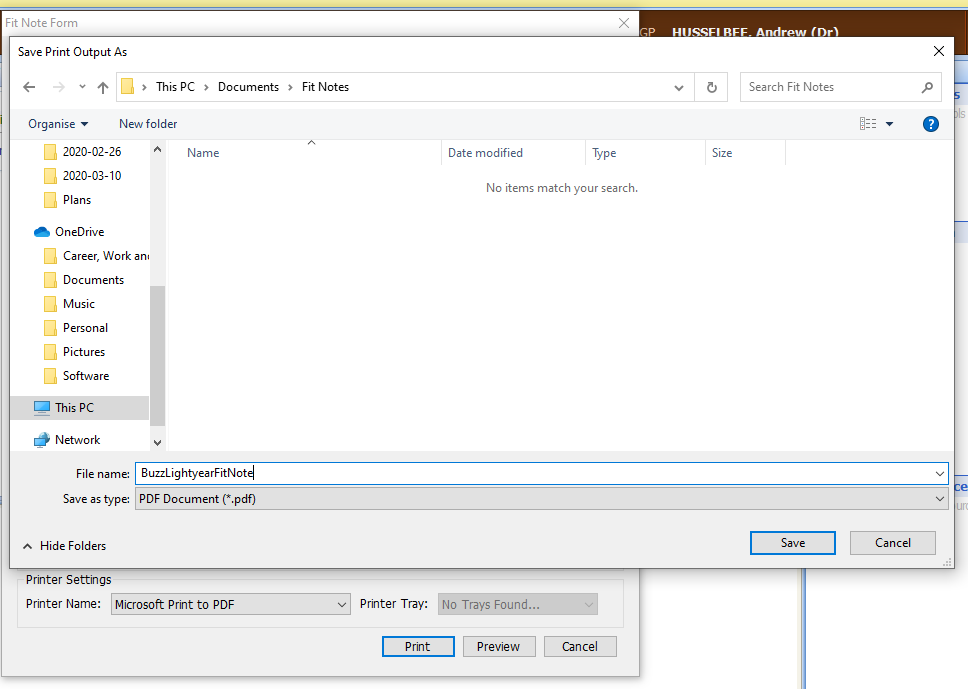
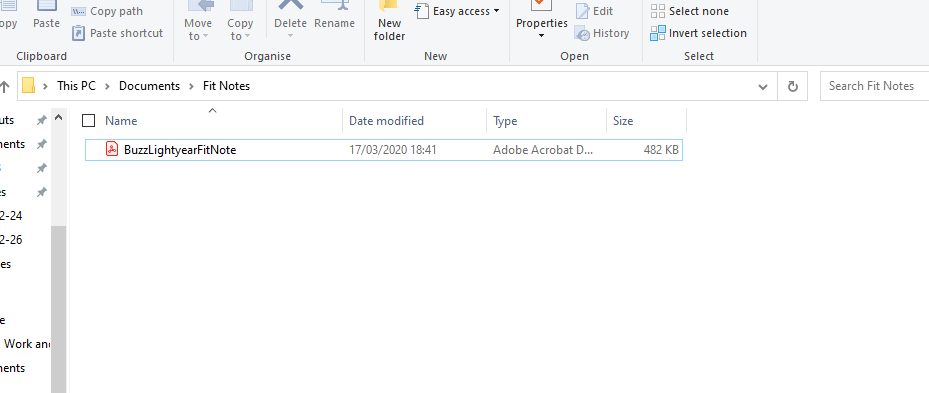
Type in an appropriate name for your fit note and save it. remember the file location.
2. Create a Signed PDF version of the Fit Note
Open the file from the saved location.

When open go to view –> Rotate View –> Counterclockwise
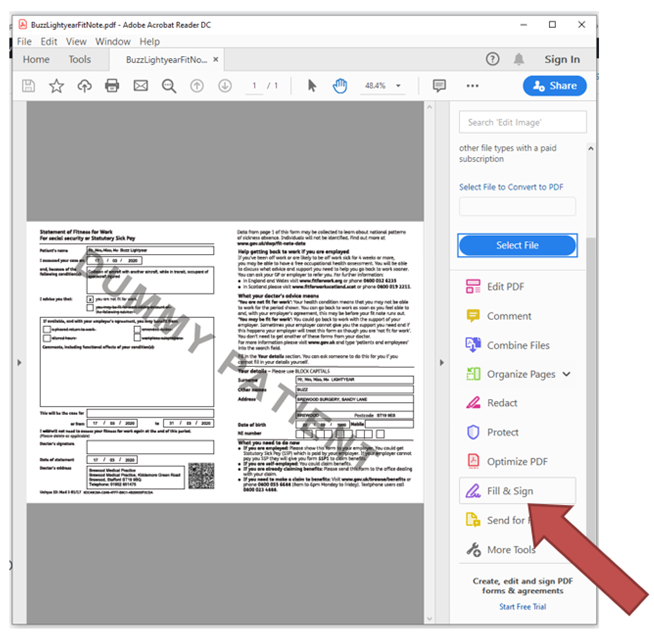
Then click on Fill & Sign
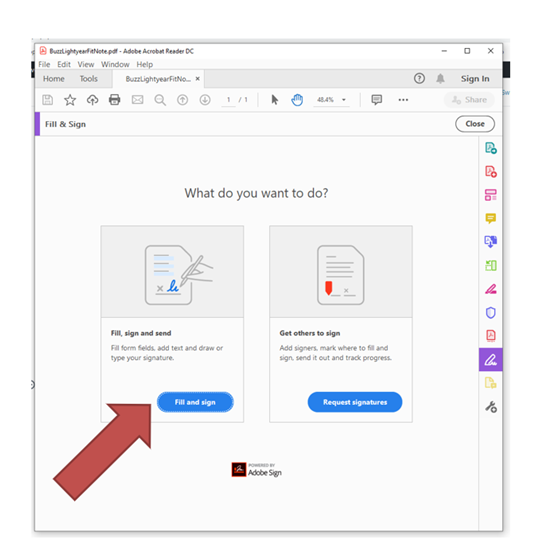
Click Fill and Sign Again
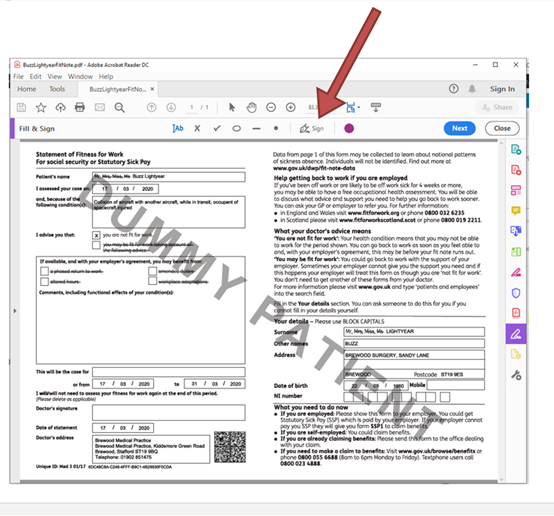
At the top bar click on sign as as indicated above.
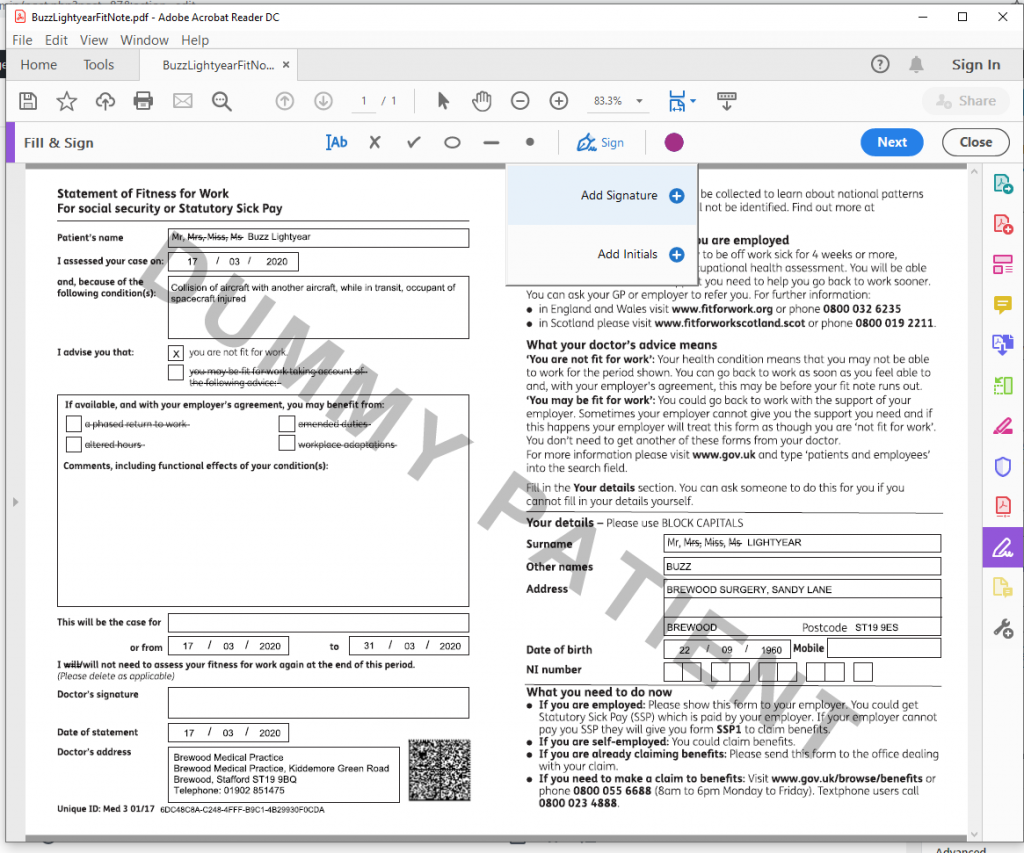
Click Add signature.
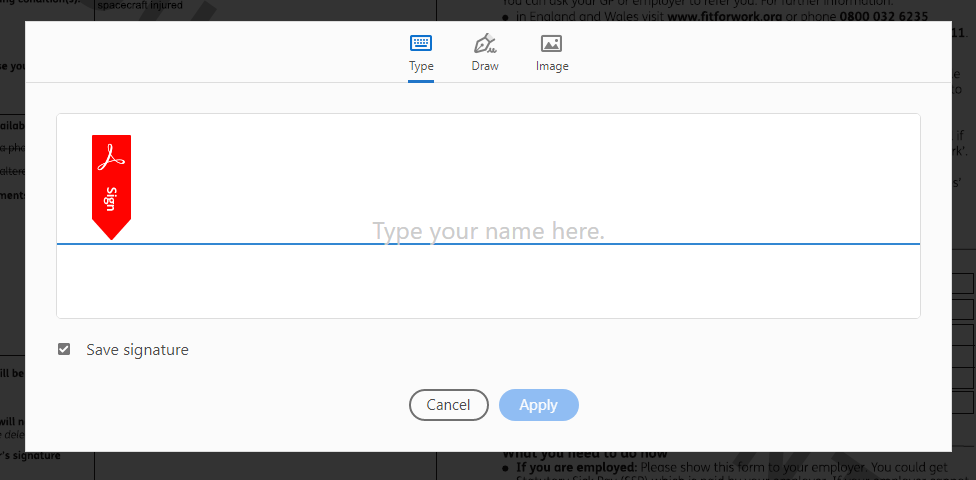
You can type or draw you signature. If you have a touchpad you can use that or if have a touch screen you can use that too. If you’ve already got an image of your signature you can use that.

Once your signature is completed, select ‘save signature’ and press apply.
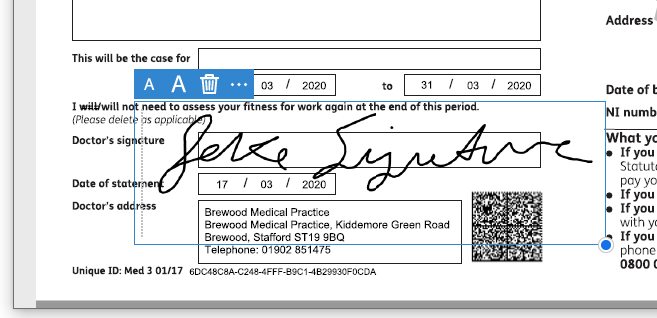
Resize your signature and position it where you want it.
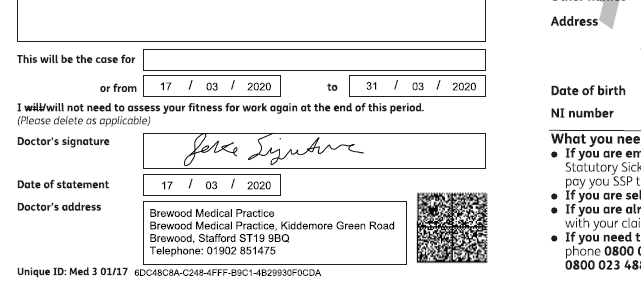
When happy with the location of the signature, click the next button at the top.
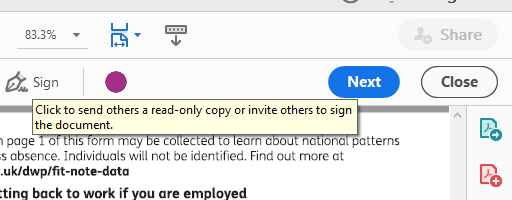
Then click Save.

Click the previously saved note and click save.
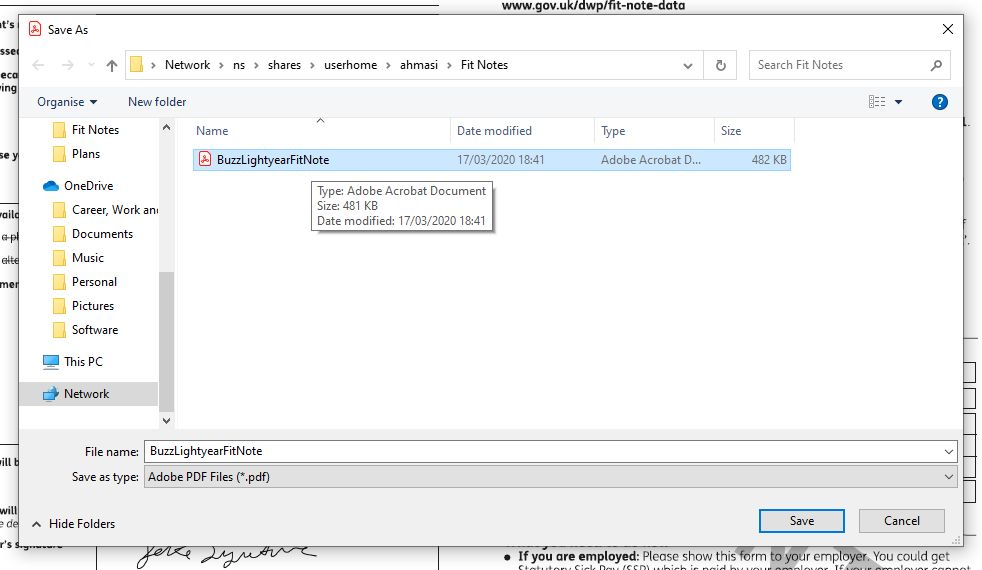
You will be given a warning about replacing the existing file.

Click Yes to save the file to overwrite the unsigned version.
Close the windows and screens of Adobe Reader
Don’t forget to save the consultation in EMISWeb
3. Send the Signed Fit Note
Click on the send a text message on AccuRx.

Select attach a file and select the fit note you just created.
AccuRx automatically adds text – not sure if that’s deliberate or just luck.

Click send and save.
A link is provided to the patient to access the file.
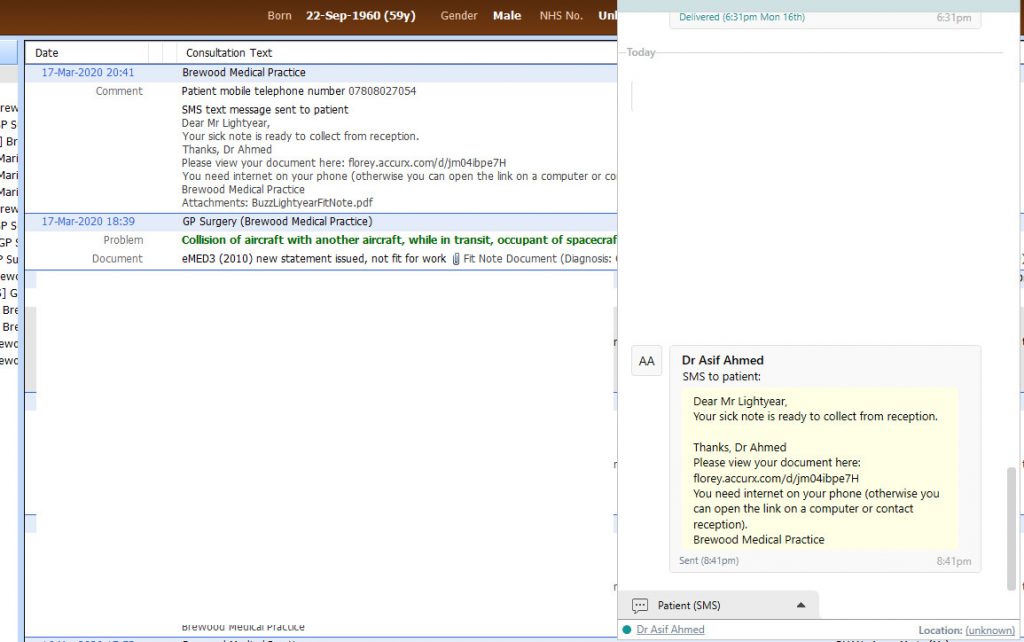
You may wish to create your own template asking the patient to print out the fit note, but that’s up to you.
You should delete the saved fit note on your computer.